Archive for the ‘Geekery’ Category

h1

Down to the metal

November 21, 2010

I’ve come across a couple of clips recently about hand-made computers, a topic that’s always interesting to me. I’ve done only a little hardware work myself so I’m always a little in awe of people who can design and build working machines.

Paul sent a link to this page about Zusie, a machine built with relays instead of transistors (or vacuum tubes). Fredrik Andersson bought a bunch of obsolete telephone switching boards and de-soldered 1500 relays from them to build this beast.

Zusie is still a work-in-progress; this isn’t the finished computer. (See the notes at the site.) But here’s a clip of it running a program Frederik wrote in the assembly language he designed for it. He did his own microcode too, of course.


And here’s another one I really enjoyed. Mike Davey built this working Turing machine. I was really impressed by his design, or I should say by his implementation of Turing’s design.

Here it is in action.

Now if only he could find an infinite tape.

h1

Navigating with the Archos 5

September 26, 2010

I’ve been doing a lot of traveling this summer and almost all of it driving. 5 or 6 hour drives have been the rule, not the exception. I decided to get an MP3 player to while away the drive time. For a number of reasons, commercial FM radio doesn’t usually appeal to me. Even when I find a station I like, it rarely has enough variety to suit me.

So I bought an Archos 5 because I could get it with enough capacity to store my whole MP3 collection (~40 GB), it had an FM transmitter so I could listen in the car without earphones, it had a GPS receiver built-in so it might work as a sat-nav system and it looked like a cute toy. It’s an Internet tablet; functionally, at least, it’s comparable to an iPad. It runs Android and I’ve been interested in checking that out too, so that decided me. I did not want something as big as an iPad. Nor did I want all these features packed into my phone.
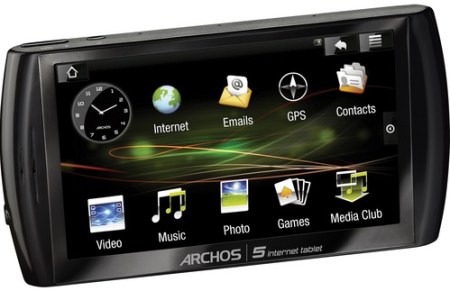
Archos 5 Internet tablet

As an MP3 player over FM radio, the Archos works pretty well. Getting my library transferred was a snap and it’s easy to use the music player app, though it did take me a bit to find the Shuffle setting. I don’t use Microsoft’s Windows Media Player on my Windows 7 desktop, so I didn’t follow the recommend method of transferring files by synching via Media Player (with all that DRM funkiness). Since you can mount the Archos’ hard drive over its USB connection, it wasn’t hard to spot the Music directory, verify that the MP3 samples resided there, and then copy my own MP3 tree to it.

My only complaint about these features is that the FM signal seems a little weak. I have to run the radio volume all the way up most of the time to hear the Archos output as I’d like. When I switch to an on-air station at that volume, it’s far too loud. But that’s a minor kvetch.

I’m not crazy about the Archos’ gesture-based user interface – but I’ll get used to that. For hand-held boxes, it’s better than many other choices. I still wish the Archos supported an external keyboard and mouse; trying to use the browser with hunt-n-peck typing is teh suxor.

But the most interesting part has been trying to use the Archos as a navigation system. It came with a trial copy of NDrive so I installed that and checked it out. NDrive did a respectable job: it calculated a route and it kept the E.T.A. calculation fresh and accurate while traveling. The map database was good: lots of detail, including speed limits on the roads I traveled. And it played well with others: I could run the MP3 player and NDrive at the same time without major problems. NDrive didn’t (often) slow down the UI response.

NDrive showed an annoying quirk while I was driving on an interstate – following the route it had chosen. It would intermittently decide that I was on some local road running parallel to the highway and start re-calculating on that basis, telling me how to get back onto the highway that I hadn’t left. The first time or two, this was sort of amusing but after that, not so much.

I thought this might be in part because the GPS accuracy on the Archos isn’t that great: it’s in the 1 – 10 meter range, based on what I saw in the GPS Diagnostics app. Maybe that accounts for this ‘getting off the track’ problem. Or maybe not: when I mentioned this problem to my wife, she told me that her Garmin (a dedicated sat nav box) sometimes does the same thing.

And the NDrive user interface seemed pretty lame to me. So I decided to look for an alternative since NDrive isn’t free. I ran across this summary of sat nav apps for Android machines. There were a number of interesting choices but I was surprised at the number that required a constant Internet connection to work. What? We’re all supposed to have 3G or be navigating in cities with free WiFi everywhere? Did the authors of those never take a road trip? Get a clue, guys.

Based on that summary, I decided to try Copilot Live. I bought a license and tracked down Copilot’s APK file – which doesn’t come with its distribution. (WTF?) My first impressions were very positive, though. The user interface was much easier to use than NDrive’s and it had many more features. It reminded me of Garmin’s UI, which I like (as well as I like any sat nav interface). So I had high hopes for Copilot Live.

One thing I’ve noticed with both NDrive and Copilot is that the Archos’ GPS decoding system seems pretty slow. It takes a long time to acquire a set of satellites when it launches and it seems to fall behind the vehicle fairly often. These are things you don’t see in a Garmin or TomTom unit; even Garmin’s old GPS V was faster than the Archos GPS subsystem. But, of course, the Archos isn’t a dedicated nav box, like the Garmin and TomTom (much less a Trimble).

The Archos’ GPS decoding slowness looks much worse in Copilot than in NDrive, though. Copilot made NDrive’s navigation performance look great. Copilot was always falling behind the vehicle, even at moderate speeds: 40 MPH, for example. I hadn’t noticed that problem so much with NDrive.

And Copilot seemed to be bogarting the box, too. Everything ran slower when Copilot was running; the difference in UI performance was striking. I have the impression now that NDrive’s code is a lot more efficient than Copilot’s.

But the worst was waiting to be discovered. Since my primary use of the Archos is as an MP3 player, I was surprised to find the Copilot audio prompts showing up in the Music player when it plays in Shuffle mode. I’m not sure why this is. It may be a quirk of the Archos but I think the most likely thing is that the Copilot installer told the Music player to look in its speech folders, since Copilot uses the Music player to deliver its audio (pre-empting whatever’s playing at the time).

What this means that if I use the Shuffle feature (as I usually do), then I hear navigation snippets at random times in a number of different languages. What’s worse, Copilot’s audio files often seem to hang the MP3 player. Not always, but too often to overlook.

By contrast, NDrive plays over the music – like a voice-over – and I never heard its prompts in the Music player. My guess is that the NDrive folks did it right and NDrive uses the audio API directly; the Copilot guys took a shortcut and spawn a copy of the Music player for their app’s audio delivery. I could be wrong, though. What do I know about Android dev?

In any case, Bzzzt! Game over, Mr. Copilot! Thanks for playing…

A $30 lesson learned and I’ll be re-installing NDrive now.

h1

Log me in, Scotty

February 7, 2010

I’ve been using a remote access service for a couple of years now and I’ve been so pleased with it that I thought I’d give it a post of its own.

LogMeIn logoIt’s called LogMeIn and it does everything I need and then some. I get remote desktop access, remote file access, remote printing and even remote audio (assuming there’s enough bandwidth to make it tolerable).

One of the nicest things is that you can use it free as long as you like (though you do give up some features in the free version). I did that for the first few months to test drive it, before deciding it was well worth its subscription price.

I use it to get to machines in my home office when I’m at client sites and to get to client machines when I’m at home. I use it to support my neighbor’s computer. It works like VNC or WebEx (and unlike Windows Remote Desktop) because it gives you a session that’s concurrent with the logged in user, if there is one.

Naturally, it reminds me of Citrix‘ software. I’ve always liked Citrix’ stuff and have recommended it to corporate folks several times. I’ve done a couple of Citrix Metaframe deployments and have been very impressed with Citrix’ management software. For organizations that need to publish applications or virtual desktops to large groups, Citrix is hard to beat in my view.

But when I tried Citrix’ GoToMyPC a couple of years ago, I wasn’t too impressed. (As a minor point, I didn’t like the lame name.) After the all-too-brief evaluation period I was granted, I didn’t become a paying customer. Part of the problem was the price included things I didn’t need or want.

That’s about the time I came across LogMeIn and it was the clearly better choice for me. I appreciate that this market changes quickly and maybe things have changed since then, but I’m happy enough with LogMeIn that I don’t want to spend the time to re-evaluate.

I’d say the same thing about using VNC. I’ve used VNC packages in the past and liked them. Most of them are free, so they compare well to LogMeIn in a features per dollar contest. But I like the way LogMeIn manages multiple machines in its web interface and I especially like the security LogMeIn provides through the web portal. Again, maybe there are later-model VNC packages out there which provide those features but I don’t want to spend the time searching them out.

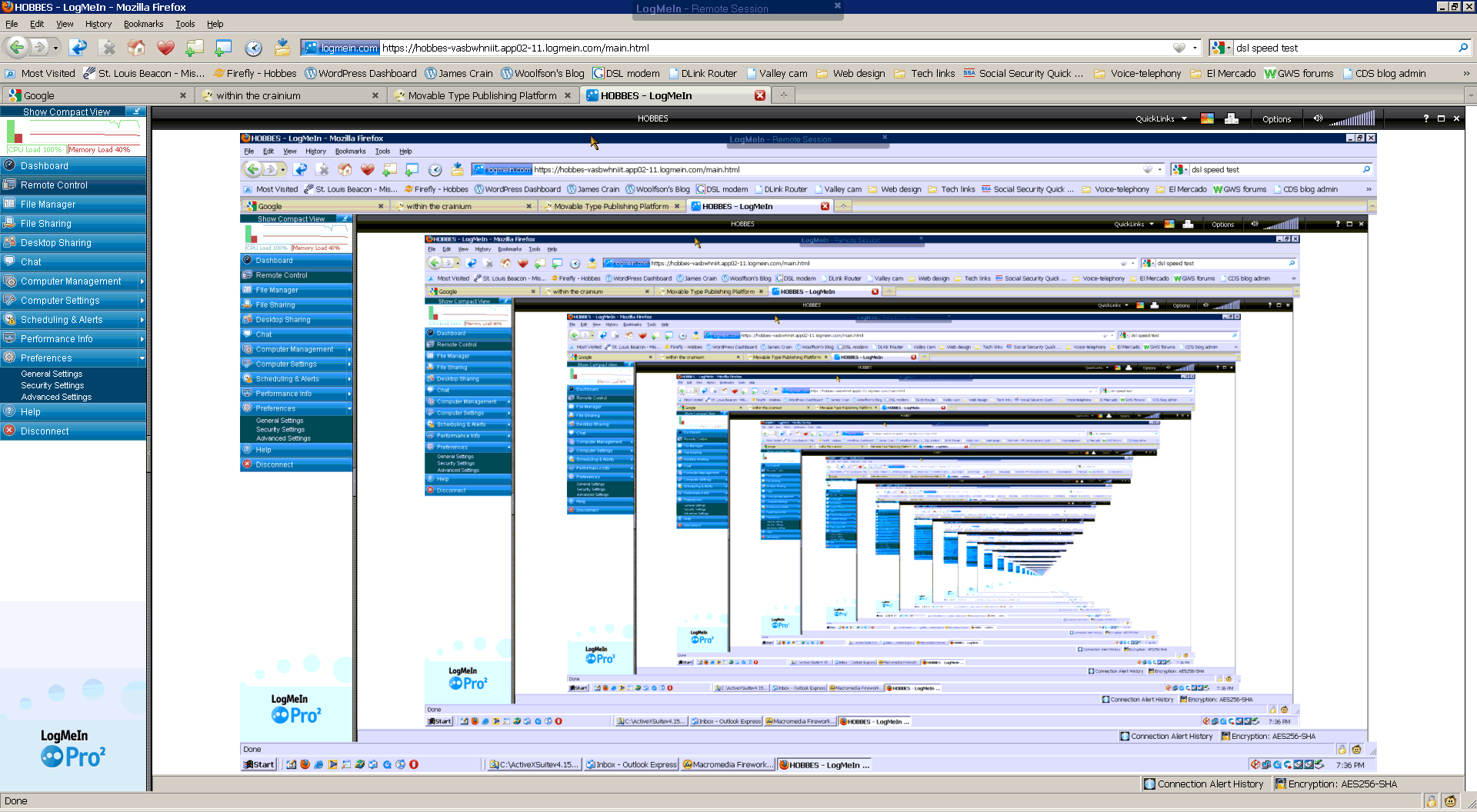
So I’ve been spreading the word about LogMeIn and my friends like it too. One day a friend and I were fooling around with it and got this great infinite series of desktops when I brought up a LogMeIn session on the machine I was working at. (You can do that, as pointless as it is.) This is LogMeIn running in Firefox using its plug-in.

LogMeIn infinite desktop screen capture

LogMeIn has been developing a whole line of products since I started using their remote access stuff. I don’t know much about those new offerings, but it looks like they’re expanding beyond simple remote access and support software into the VPN and desktop publishing arenas.

h1

Roku video

January 10, 2010

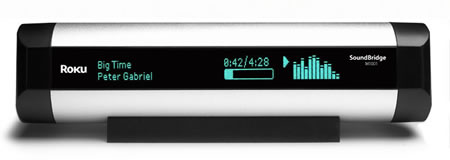
A few years ago I bought a Roku SoundBridge, a network audio player. At the time, the choice was between the SoundBridge and Slim Device’s SqueezeBox. The SqueezeBox had a couple of more features but I didn’t think they were worth the higher price it commanded. And I liked the Roku’s styling.

It’s a nice little widget to have and we use it all the time. I have a library of ~8,000 MP3 tracks. We hook the SoundBridge up to our Bose Wave Radio and the pair makes a fairly portable, decent-sounding way to play the library. Usually it sits in the kitchen but it’s easy to move to the patio when we have people over. After I had set it up and installed the Firefly audio server on one of my boxes, my sons got into the act and brought up servers on their machines, so now we have several libraries to chose from.

So I was looking to buy another SoundBridge when I visited Roku.com about a month ago. But what I discovered there was a different type of media appliance: Roku network video players.


That was a pleasant surprise. Where we live, we don’t get cable service – and that’s OK because we don’t really want to make monthly payments for TV we’d rarely watch. For the same reason, we don’t use satellite service (though that is available). We mostly watch movies and occasionally watch off-air TV for weather and important news events.

The Roku video players seemed like just the thing for our type of use, so I bought a Roku HD. Most of the major DVD services (Netflix, Blockbuster, and Amazon) are now providing video-on-demand over the Internet so we can get movies without a trip to the video store and without waiting for discs to arrive in the mail. Even better, we don’t have to worry about making sure discs get returned.

The Roku HD was a snap to set up. You hook up the player to your network (we use wireless), you hook it up to your A/V gear, you set up an account with the video service, and you tell the player which service you want to use. The whole process took maybe 10 minutes to get Netflix set up and playing.

The Roku will deliver streaming high-definition video to your system. I use the component video connections because that’s what my older Yamaha receiver supports but the HD also provides HDMI output (as well as composite output). Assuming you have the bandwith — on your LAN and from your ISP — you’re all set for high def movie watching.

I’ve been very happy with the Roku HD and I’d recommend it. I see they’ve lowered the price since I bought mine and you can pick it up directly from Roku for $99.00, shipping included.

The two big improvements I’d like to see to the Roku video players are (1) play DVDs and (2) support audio media as the SoundBridge does.

Not long after I bought the Roku HD, we bought a Samsung Blu-Ray DVD player. When we were shopping for it, I noticed that it also supported video-over-the-network from the same providers the Roku supported.Basically, I got the features of the Roku HD plus a Blu-Ray player for about twice the cost of the Roku.

So one alternative to the Roku player is get a Blu-Ray player with the video-over-the-net feature. Many companies sell them now. Other alternatives are to use a PlayStation, an XBox or a TIVO box since some of those support this feature too.